

Also automatically process individual supplier sources
Approved images with your folders and filenames on FTP or SFTP, and supplier files imported centrally.
- In production
This is the route
- You provide the FTP or SFTP server and the target folder.
- Filenames and folders follow a fixed template for each organization.
- An approved image is usually on the server within a few minutes.
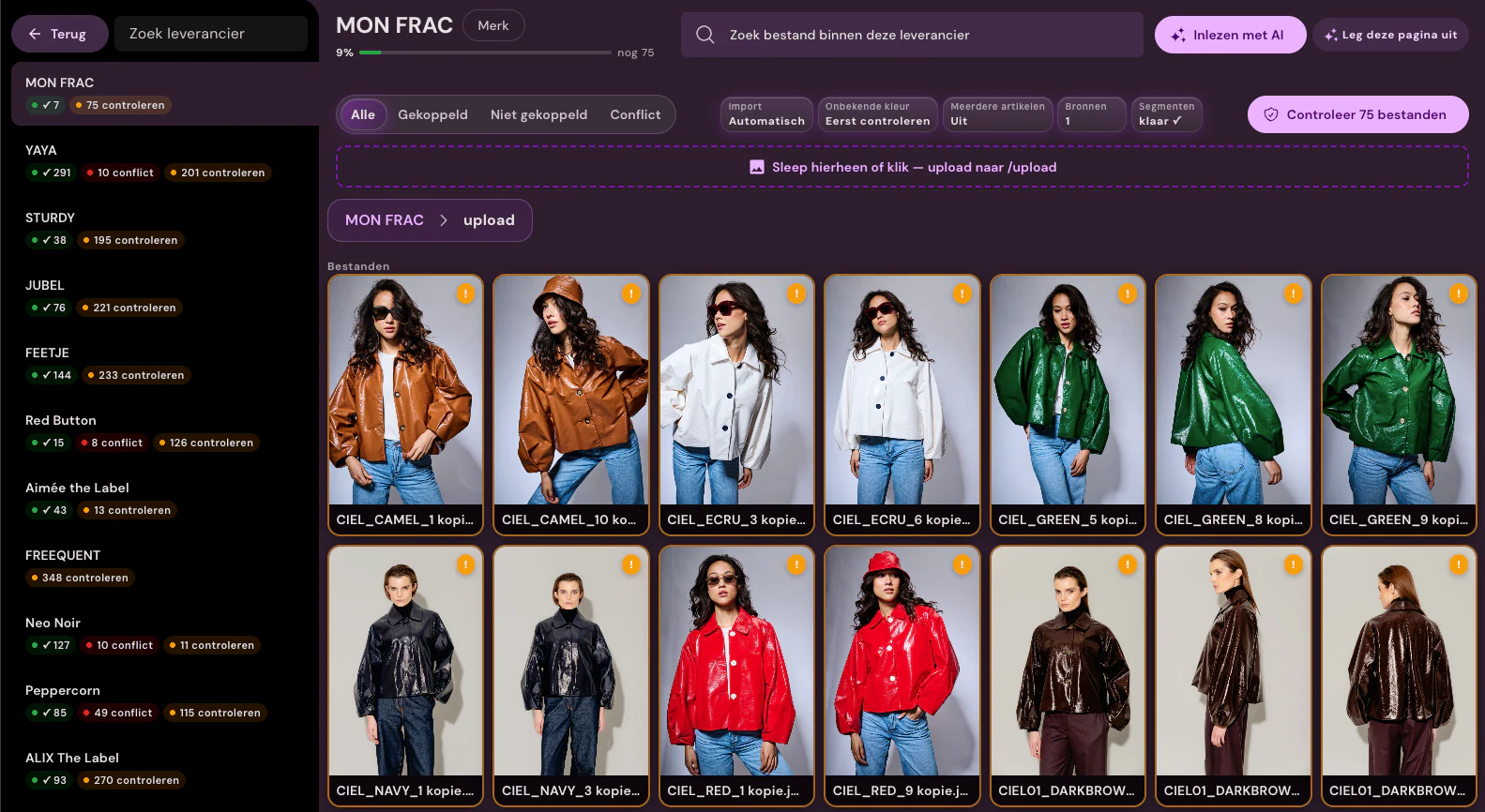
- Suppliers provide images by upload; Photopilot recognizes the item from the filename.
FTP, SFTP, ZIP, and portals at a glance
- What is exchanged
- Photopilot writes approved images to your FTP or SFTP server, using folders and filenames based on your own template. A second server can receive the images for each product group, and Azure can run at the same time. Suppliers provide images by upload, and Photopilot automatically extracts ZIP exports such as ACA exports.
- How often
- Usually within a few minutes after approval. If an upload fails, Photopilot automatically retries it. Supplier uploads are processed every half hour by default.
- What you provide
- Host, username, password, and target folder for your FTP or SFTP server, plus the filename rule your online store expects.
- Good to know
- Five customers export via FTP or SFTP this way. Every file written is tracked, so a replaced or deleted image is also cleaned up on the server.
Then in Photopilot
Let files flow without separate handoffs









%20--%3e%3csvg%20version='1.1'%20id='Layer_1'%20xmlns='http://www.w3.org/2000/svg'%20xmlns:xlink='http://www.w3.org/1999/xlink'%20x='0px'%20y='0px'%20viewBox='0%200%20945%20125'%20style='enable-background:new%200%200%20945%20125;'%20xml:space='preserve'%3e%3cpath%20d='M8.73,62.42c0-31.54,24.83-56.21,56.53-56.21c21.08,0,37.79,9.99,47.47,25.3l-14.05,8.59%20c-6.56-10.77-18.58-17.96-33.42-17.96c-22.17,0-39.19,17.65-39.19,40.29s17.02,40.29,39.19,40.29c14.83,0,26.86-7.34,33.42-17.96%20l14.05,8.43c-9.52,15.46-26.86,25.45-47.47,25.45C33.56,118.64,8.73,93.96,8.73,62.42z'/%3e%3cpath%20d='M127.55,95.68c0-12.49,9.99-20.46,23.74-20.46h16.24c4.53,0,7.34-2.65,7.34-6.56c0-4.68-5.15-10.78-15.93-10.78%20c-9.53,0-15.15,5.15-17.96,11.87l-11.09-7.18c4.53-10.15,14.21-18.11,29.05-18.11c19.99,0,30.92,13.43,30.92,27.8v44.82h-13.74%20v-7.81c-2.65,4.06-10.15,9.53-21.24,9.53C138.17,118.79,127.55,108.49,127.55,95.68z%20M175.18,87.72v-0.94h-22.17%20c-5.93,0-9.99,3.9-9.99,9.06c0,5.62,4.68,10.15,13.12,10.15C168,105.99,175.18,98.34,175.18,87.72z'/%3e%3cpath%20d='M235.29,118.17c-15.62,0-24.52-8.59-24.52-25.61V7.77h14.83V92.4c0,7.5,4.22,11.56,12.02,11.56v14.21H235.29z'/%3e%3cpath%20d='M251.22,19.79c0-5.62,4.53-9.99,10.15-9.99c5.93,0,10.31,4.37,10.31,9.99s-4.37,9.84-10.31,9.84%20C255.75,29.63,251.22,25.41,251.22,19.79z%20M254.03,117.08V46.18h14.83v70.89H254.03z'/%3e%3cpath%20d='M286.35,81.63c0-21.08,16.55-37.16,38.1-37.16c14.37,0,26.23,7.03,32.64,18.11l-12.65,8.12%20c-3.59-7.03-11.24-11.87-19.99-12.02c-12.96,0.16-22.49,9.84-22.49,22.95c0,12.96,9.53,22.8,22.49,22.8%20c8.59,0,15.93-4.53,19.83-11.4l12.49,8.12c-6.4,10.77-18.27,17.65-32.32,17.65C302.9,118.79,286.35,102.71,286.35,81.63z'/%3e%3cpath%20d='M369.73,81.63c0-21.08,16.55-37.16,38.1-37.16c21.71,0,38.1,16.08,38.1,37.16c0,21.08-16.4,37.16-38.1,37.16%20C386.28,118.79,369.73,102.71,369.73,81.63z%20M430.31,81.63c0-13.12-9.68-22.8-22.49-22.95c-12.96,0.16-22.49,9.84-22.49,22.95%20s9.53,22.8,22.49,22.8C420.63,104.43,430.31,94.75,430.31,81.63z'/%3e%3cpath%20d='M500.73,62.42c0-31.54,24.83-56.21,56.53-56.21c21.08,0,37.79,9.99,47.47,25.3l-14.05,8.59%20c-6.56-10.77-18.58-17.96-33.42-17.96c-22.17,0-39.19,17.65-39.19,40.29s17.02,40.29,39.19,40.29c14.83,0,26.86-7.34,33.42-17.96%20l14.05,8.43c-9.52,15.46-26.86,25.45-47.47,25.45C525.56,118.64,500.73,93.96,500.73,62.42z'/%3e%3cpath%20d='M646.88,118.17c-15.61,0-24.52-8.59-24.52-25.61V7.77h14.83V92.4c0,7.5,4.22,11.56,12.02,11.56v14.21H646.88z'/%3e%3cpath%20d='M664.05,86.31V46.18h14.83v40.44c0,10.93,6.25,17.96,16.55,17.96c10.15,0,16.55-7.03,16.55-17.96V46.18h14.83v40.13%20c0,17.8-10.31,32.48-31.39,32.48C674.2,118.79,664.05,104.11,664.05,86.31z'/%3e%3cpath%20d='M822.39,81.63c0,20.92-16.55,37.16-37.48,37.16c-8.43,0-16.71-2.97-23.11-8.28v6.56h-14.83V7.77h14.83v44.97%20c6.4-5.31,14.68-8.28,23.11-8.28C805.83,44.46,822.39,60.86,822.39,81.63z%20M806.77,81.63c0-13.12-9.52-22.8-22.49-22.95%20c-12.8,0.16-22.49,9.84-22.49,22.95s9.68,22.8,22.49,22.8C797.24,104.43,806.77,94.75,806.77,81.63z'/%3e%3cpath%20d='M890.2,117.08L922.37,7.77h13.9L904.1,117.08H890.2z'/%3e%3c/svg%3e)
'/%3e%3cpath%20d='M150.336,366.953h15.189v2.531H153.788v3.309h6.846v2.531h-6.846V379h11.88V381.8H150.336V366.953Z'%20transform='translate(-127.628%20-366.953)'/%3e%3cpath%20d='M223.733,366.953h2.36l10.44,8.745a12.625,12.625,0,0,1,1.7,1.611c-.087-1.237-.144-2.1-.144-2.561v-7.795h3.107V381.8h-2.359l-10.9-9.177a12.259,12.259,0,0,1-1.238-1.208c.116,1.15.144,1.927.144,2.358V381.8h-3.107V366.953Z'%20transform='translate(-181.029%20-366.953)'/%3e%3cpath%20d='M312.449,381.8H309V369.6h-6.821v-2.646h17.118V369.6h-6.845v12.2Z'%20transform='translate(-238.101%20-366.953)'/%3e%3cpath%20d='M379.458,366.953h3.453V381.8h-3.453V366.953Z'%20transform='translate(-294.329%20-366.953)'/%3e%3cpath%20d='M409.442,366.953H412.9V379h11.131V381.8H409.442V366.953Z'%20transform='translate(-316.145%20-366.953)'/%3e%3cpath%20d='M480.11,379.005h9.838V366.953H493.4v11.333c0,2.79-.891,3.51-3.681,3.51H480.34c-2.79,0-3.681-.719-3.681-3.51V366.953h3.451v12.052Z'%20transform='translate(-365.05%20-366.953)'/%3e%3cpath%20d='M560.662,379.005V369.6h11.391v9.406Zm-3.452-8.543v7.824c0,2.79.891,3.51,3.682,3.51h10.932c2.79,0,3.681-.719,3.681-3.51v-7.824c0-2.791-.891-3.509-3.681-3.509H560.892c-2.791,0-3.682.718-3.682,3.509Z'%20transform='translate(-423.656%20-366.953)'/%3e%3cpath%20d='M642.423,366.953h2.79l6.99,8.974,6.846-8.974h2.762V381.8h-3.193v-9.177a15.583,15.583,0,0,1,.116-1.582,10.16,10.16,0,0,1-.863,1.554l-5.581,7.421h-.69l-5.58-7.45a6.632,6.632,0,0,1-.893-1.525c.059.6.087,1.093.087,1.582V381.8h-2.79V366.953Z'%20transform='translate(-485.654%20-366.953)'/%3e%3cpath%20d='M735.446,379.005V369.6h11.39v9.406Zm-3.453-8.543v7.824c0,2.79.892,3.51,3.682,3.51h10.932c2.79,0,3.681-.719,3.681-3.51v-7.824c0-2.791-.891-3.509-3.681-3.509H735.675c-2.79,0-3.682.718-3.682,3.509Z'%20transform='translate(-550.823%20-366.953)'/%3e%3c/g%3e%3c/svg%3e)

Frequently Asked Questions
How quickly does an approved image appear on our FTP server?
Usually within a few minutes after approval. If an upload fails, Photopilot automatically retries it.
What does Photopilot need for export via FTP or SFTP?
Host, username, password, and target folder, plus the filename rule your online store expects.
Do I have to set up naming conventions again for each delivery?
No. Naming conventions and source rules are defined once per supplier and then reused automatically for new deliveries.
What happens with conflicts or unclear files?
Photopilot shows match percentage, conflicts, and remaining work per supplier. Per brand or collection you choose automatic flow-through or prior approval.
First the trial route, then the technique
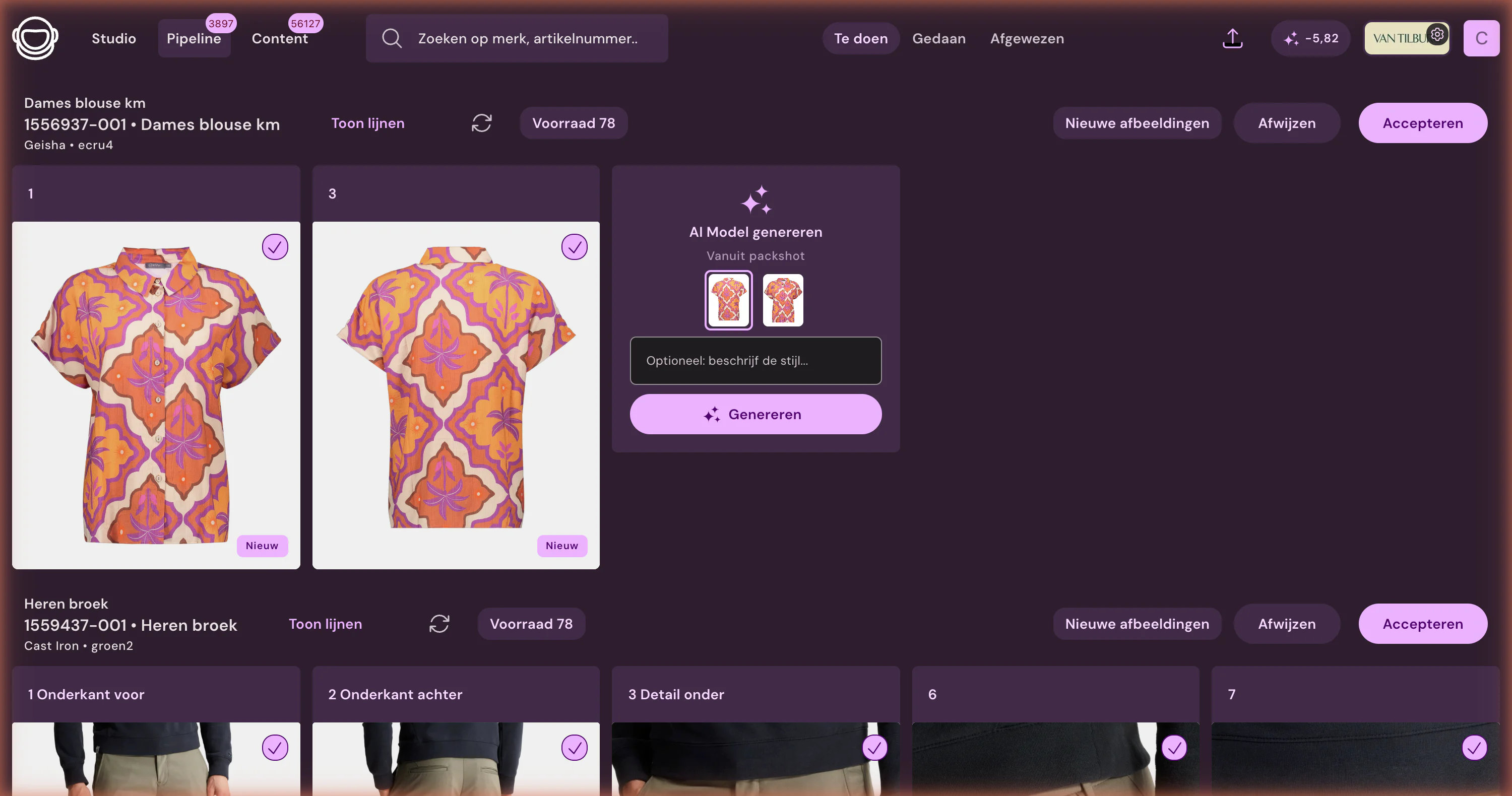
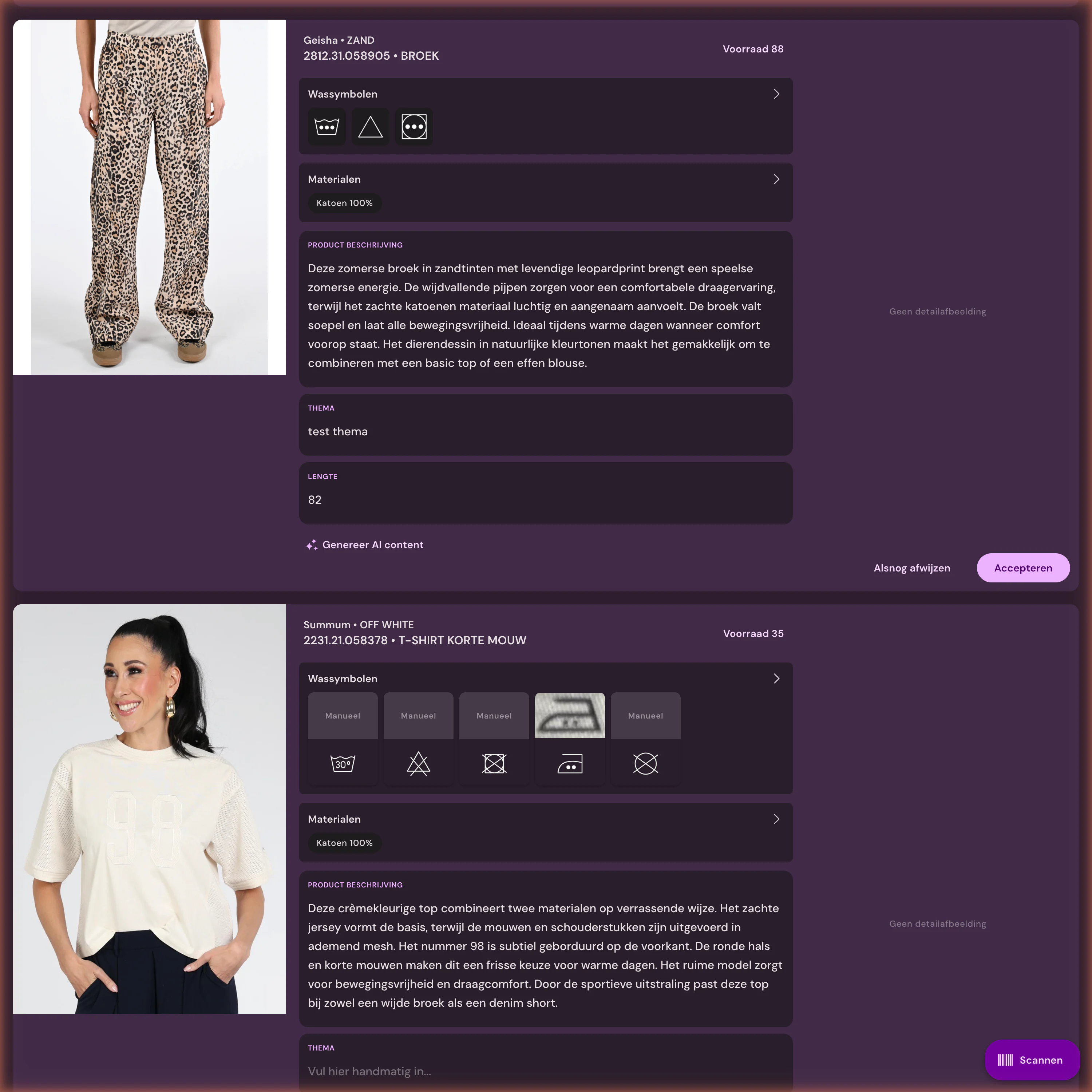
The integration is the starting point. After that, Photopilot keeps linking, editing, writing, checking, and publishing together.
What is the source of truth?
Which fields, images, and barcodes define the item.
What can be automated?
Link, crop, and text, or show an exception first.
Where should it go?
Webshop, FTP, Azure, or API, before anything is built.