From source to publicationEverything connected around the same product
Sources & studio
Images, data and content
Connect
Process
Check
Webshops & channels
Automatic flow where possibleReview where needed
Trusted by retailers and brands
From source to webshop, without separate exports
For each connection, we answer the same questions: which system is leading, who supplements the item, what can automatically proceed per brand or collection, and where should the result go?
Leading system
Define which system is leading for item, color, size, barcode, stock, collection, and supplier information.
Editing and control
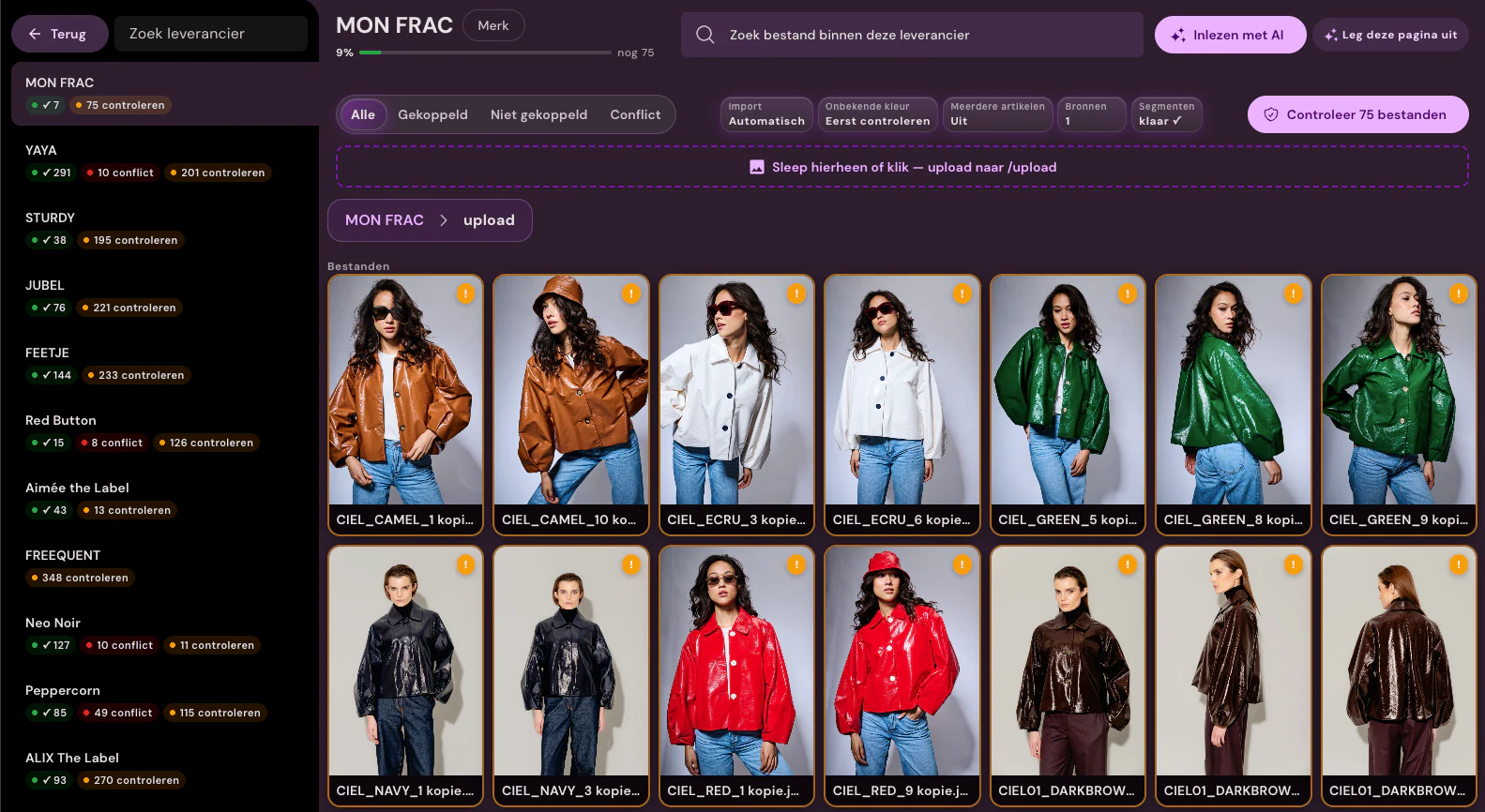
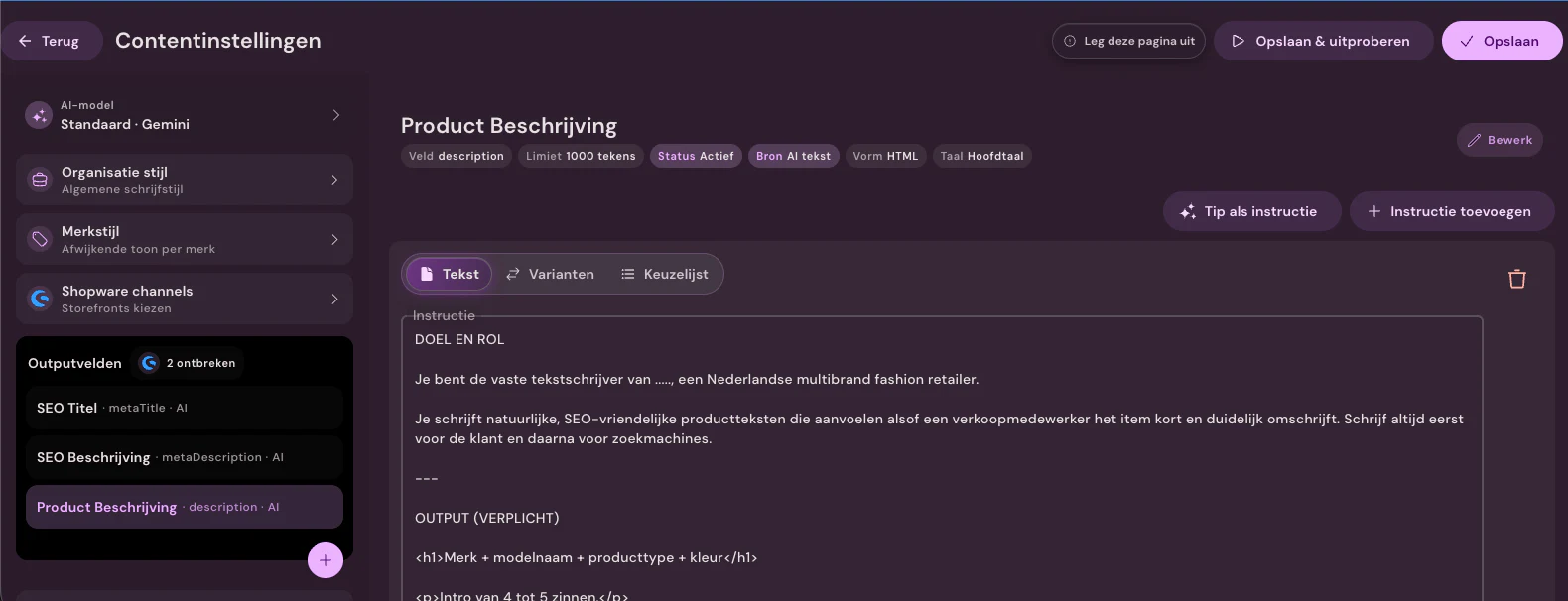
Source image, studio photos, editing, product text, and material data remain linked to the same item. You only add control where you want it.
Publishing
Automatically or manually approved images and texts go to webshop, feed, DAM, FTP, PIM, or custom. You continue to see what is holding up publication.
ERP, retail sources, and suppliers
Here is where the data your team needs to publish comes from: item data, stock, supplier images, material information, and barcodes.
Shopware and BigCommerce receive approved images and copy directly. WooCommerce and Shopify can do the same after an intake. We import from other platforms; publishing for those is done through FTP, the Webshop Excel file, or the API.
Which sources and ERP systems does Photopilot integrate with?
Fashion Cloud, Stockbase, ACA, and Business Central are active as item sources for customers, as well as importing Adobe Commerce and Scayle. easyPOS, LS Central / LS Retail, SRS Retail, and CSV, JSON, and XML feeds are available after an intake.
To which e-commerce platforms can Photopilot publish?
Shopware, WooCommerce, and BigCommerce are active as publication channels for clients; Shopify is available after an intake. Additionally, Photopilot publishes via FTP/SFTP, Azure Blob Storage, the Webshop Excel, and a webhook or REST API. Platforms like Adobe Commerce / Magento, Scayle, and Lightspeed are only ingested.
Are all Photopilot integrations immediately available?
No, the status is listed per integration. Some are active with customers; other connections are available after an intake or are tailored per customer.
Can our studio and separate files also be connected?
Yes. Canon connects directly via Photopilot Studio; photos from Capture One, Profoto, OrbitVu, or StyleShoots arrive via a shared folder or network drive. Additionally, Photopilot processes FTP, SFTP, ZIP files, supplier portals, and Azure Blob Storage.
What do we need to determine in advance for an integration?
Which system is leading for item, color, size, barcode, and stock, what can automatically proceed per brand or collection, and where the result should go. Then you can see what still holds back publication.











%20--%3e%3csvg%20version='1.1'%20id='Layer_1'%20xmlns='http://www.w3.org/2000/svg'%20xmlns:xlink='http://www.w3.org/1999/xlink'%20x='0px'%20y='0px'%20viewBox='0%200%20945%20125'%20style='enable-background:new%200%200%20945%20125;'%20xml:space='preserve'%3e%3cpath%20d='M8.73,62.42c0-31.54,24.83-56.21,56.53-56.21c21.08,0,37.79,9.99,47.47,25.3l-14.05,8.59%20c-6.56-10.77-18.58-17.96-33.42-17.96c-22.17,0-39.19,17.65-39.19,40.29s17.02,40.29,39.19,40.29c14.83,0,26.86-7.34,33.42-17.96%20l14.05,8.43c-9.52,15.46-26.86,25.45-47.47,25.45C33.56,118.64,8.73,93.96,8.73,62.42z'/%3e%3cpath%20d='M127.55,95.68c0-12.49,9.99-20.46,23.74-20.46h16.24c4.53,0,7.34-2.65,7.34-6.56c0-4.68-5.15-10.78-15.93-10.78%20c-9.53,0-15.15,5.15-17.96,11.87l-11.09-7.18c4.53-10.15,14.21-18.11,29.05-18.11c19.99,0,30.92,13.43,30.92,27.8v44.82h-13.74%20v-7.81c-2.65,4.06-10.15,9.53-21.24,9.53C138.17,118.79,127.55,108.49,127.55,95.68z%20M175.18,87.72v-0.94h-22.17%20c-5.93,0-9.99,3.9-9.99,9.06c0,5.62,4.68,10.15,13.12,10.15C168,105.99,175.18,98.34,175.18,87.72z'/%3e%3cpath%20d='M235.29,118.17c-15.62,0-24.52-8.59-24.52-25.61V7.77h14.83V92.4c0,7.5,4.22,11.56,12.02,11.56v14.21H235.29z'/%3e%3cpath%20d='M251.22,19.79c0-5.62,4.53-9.99,10.15-9.99c5.93,0,10.31,4.37,10.31,9.99s-4.37,9.84-10.31,9.84%20C255.75,29.63,251.22,25.41,251.22,19.79z%20M254.03,117.08V46.18h14.83v70.89H254.03z'/%3e%3cpath%20d='M286.35,81.63c0-21.08,16.55-37.16,38.1-37.16c14.37,0,26.23,7.03,32.64,18.11l-12.65,8.12%20c-3.59-7.03-11.24-11.87-19.99-12.02c-12.96,0.16-22.49,9.84-22.49,22.95c0,12.96,9.53,22.8,22.49,22.8%20c8.59,0,15.93-4.53,19.83-11.4l12.49,8.12c-6.4,10.77-18.27,17.65-32.32,17.65C302.9,118.79,286.35,102.71,286.35,81.63z'/%3e%3cpath%20d='M369.73,81.63c0-21.08,16.55-37.16,38.1-37.16c21.71,0,38.1,16.08,38.1,37.16c0,21.08-16.4,37.16-38.1,37.16%20C386.28,118.79,369.73,102.71,369.73,81.63z%20M430.31,81.63c0-13.12-9.68-22.8-22.49-22.95c-12.96,0.16-22.49,9.84-22.49,22.95%20s9.53,22.8,22.49,22.8C420.63,104.43,430.31,94.75,430.31,81.63z'/%3e%3cpath%20d='M500.73,62.42c0-31.54,24.83-56.21,56.53-56.21c21.08,0,37.79,9.99,47.47,25.3l-14.05,8.59%20c-6.56-10.77-18.58-17.96-33.42-17.96c-22.17,0-39.19,17.65-39.19,40.29s17.02,40.29,39.19,40.29c14.83,0,26.86-7.34,33.42-17.96%20l14.05,8.43c-9.52,15.46-26.86,25.45-47.47,25.45C525.56,118.64,500.73,93.96,500.73,62.42z'/%3e%3cpath%20d='M646.88,118.17c-15.61,0-24.52-8.59-24.52-25.61V7.77h14.83V92.4c0,7.5,4.22,11.56,12.02,11.56v14.21H646.88z'/%3e%3cpath%20d='M664.05,86.31V46.18h14.83v40.44c0,10.93,6.25,17.96,16.55,17.96c10.15,0,16.55-7.03,16.55-17.96V46.18h14.83v40.13%20c0,17.8-10.31,32.48-31.39,32.48C674.2,118.79,664.05,104.11,664.05,86.31z'/%3e%3cpath%20d='M822.39,81.63c0,20.92-16.55,37.16-37.48,37.16c-8.43,0-16.71-2.97-23.11-8.28v6.56h-14.83V7.77h14.83v44.97%20c6.4-5.31,14.68-8.28,23.11-8.28C805.83,44.46,822.39,60.86,822.39,81.63z%20M806.77,81.63c0-13.12-9.52-22.8-22.49-22.95%20c-12.8,0.16-22.49,9.84-22.49,22.95s9.68,22.8,22.49,22.8C797.24,104.43,806.77,94.75,806.77,81.63z'/%3e%3cpath%20d='M890.2,117.08L922.37,7.77h13.9L904.1,117.08H890.2z'/%3e%3c/svg%3e)
'/%3e%3cpath%20d='M150.336,366.953h15.189v2.531H153.788v3.309h6.846v2.531h-6.846V379h11.88V381.8H150.336V366.953Z'%20transform='translate(-127.628%20-366.953)'/%3e%3cpath%20d='M223.733,366.953h2.36l10.44,8.745a12.625,12.625,0,0,1,1.7,1.611c-.087-1.237-.144-2.1-.144-2.561v-7.795h3.107V381.8h-2.359l-10.9-9.177a12.259,12.259,0,0,1-1.238-1.208c.116,1.15.144,1.927.144,2.358V381.8h-3.107V366.953Z'%20transform='translate(-181.029%20-366.953)'/%3e%3cpath%20d='M312.449,381.8H309V369.6h-6.821v-2.646h17.118V369.6h-6.845v12.2Z'%20transform='translate(-238.101%20-366.953)'/%3e%3cpath%20d='M379.458,366.953h3.453V381.8h-3.453V366.953Z'%20transform='translate(-294.329%20-366.953)'/%3e%3cpath%20d='M409.442,366.953H412.9V379h11.131V381.8H409.442V366.953Z'%20transform='translate(-316.145%20-366.953)'/%3e%3cpath%20d='M480.11,379.005h9.838V366.953H493.4v11.333c0,2.79-.891,3.51-3.681,3.51H480.34c-2.79,0-3.681-.719-3.681-3.51V366.953h3.451v12.052Z'%20transform='translate(-365.05%20-366.953)'/%3e%3cpath%20d='M560.662,379.005V369.6h11.391v9.406Zm-3.452-8.543v7.824c0,2.79.891,3.51,3.682,3.51h10.932c2.79,0,3.681-.719,3.681-3.51v-7.824c0-2.791-.891-3.509-3.681-3.509H560.892c-2.791,0-3.682.718-3.682,3.509Z'%20transform='translate(-423.656%20-366.953)'/%3e%3cpath%20d='M642.423,366.953h2.79l6.99,8.974,6.846-8.974h2.762V381.8h-3.193v-9.177a15.583,15.583,0,0,1,.116-1.582,10.16,10.16,0,0,1-.863,1.554l-5.581,7.421h-.69l-5.58-7.45a6.632,6.632,0,0,1-.893-1.525c.059.6.087,1.093.087,1.582V381.8h-2.79V366.953Z'%20transform='translate(-485.654%20-366.953)'/%3e%3cpath%20d='M735.446,379.005V369.6h11.39v9.406Zm-3.453-8.543v7.824c0,2.79.892,3.51,3.682,3.51h10.932c2.79,0,3.681-.719,3.681-3.51v-7.824c0-2.791-.891-3.509-3.681-3.509H735.675c-2.79,0-3.682.718-3.682,3.509Z'%20transform='translate(-550.823%20-366.953)'/%3e%3c/g%3e%3c/svg%3e)





 Images, data and content


 LS Central / LS Retail Items, variants, barcodes, images, and inventory from LS Central through the LS web services. Available after intake
  SRS Retail / SRS ERP Product and inventory files from SRS as the basis for images and copy. Available after intake BC Business Central Items, colors, sizes, EANs, and product information from Microsoft Dynamics 365 Business Central. In production EP easyPOS Products, colors, sizes, EANs, and attributes from the easyPOS product feed. First customer being onboarded CSV JSON XML CSV, JSON, and XML feeds A CSV, JSON, or XML feed as the item source, for PIM, custom shops, or suppliers. Available after intake
 Scayle Products, live images, and their order from Scayle; new images through your file workflow. In production Read only
  Adobe Commerce / Magento Import products, variants, attributes, and images from Adobe Commerce or Magento. Available after intake Read only
  PrestaShop Import products, attributes, and inventory from PrestaShop through the web service. Available after intake Read only
  Lightspeed eCom Import products from Lightspeed eCom by item code, SKU, and EAN. Available after intake Read only
  CCV Shop Import products from CCV Shop by SKU, EAN, and item number. Available after intake Read only
  Mijnwebwinkel Import products from Mijnwebwinkel by item number, EAN, and SKU. Available after intake Read only
  Salesforce B2C Commerce Import product data, attributes, and media from Salesforce B2C Commerce. Available after intake Read only
  commercetools Import products, variants, and attributes from a commercetools project. Available after intake Read only
  Sylius Import products and attributes from Sylius. Available after intake Read only
  Saleor Import products, variants, media, and inventory from Saleor through GraphQL. Available after intake Read only
  Medusa Import products, variants, and images from Medusa. Available after intake Read only
 Azure Blob Storage Approved images with fixed folders and filenames in your Azure Blob container. In production


 Canon and studio software Canon directly via Photopilot Studio; photos from Capture One, Profoto, OrbitVu, or StyleShoots via a shared folder. In production