PhotopilotPhotopilot
Supplier images

Supplier images directly linked to the correct item

Connect Fashion Cloud, Stockbase, brand portals, FTP, and ZIP files. Photopilot links clothing, bags, suitcases, home products, and cosmetics to the right product using the item number, EAN, and file structure.

  • Every source From Fashion Cloud to ZIP
  • Match rate Visible for each supplier
  • Only exceptions Control is optional
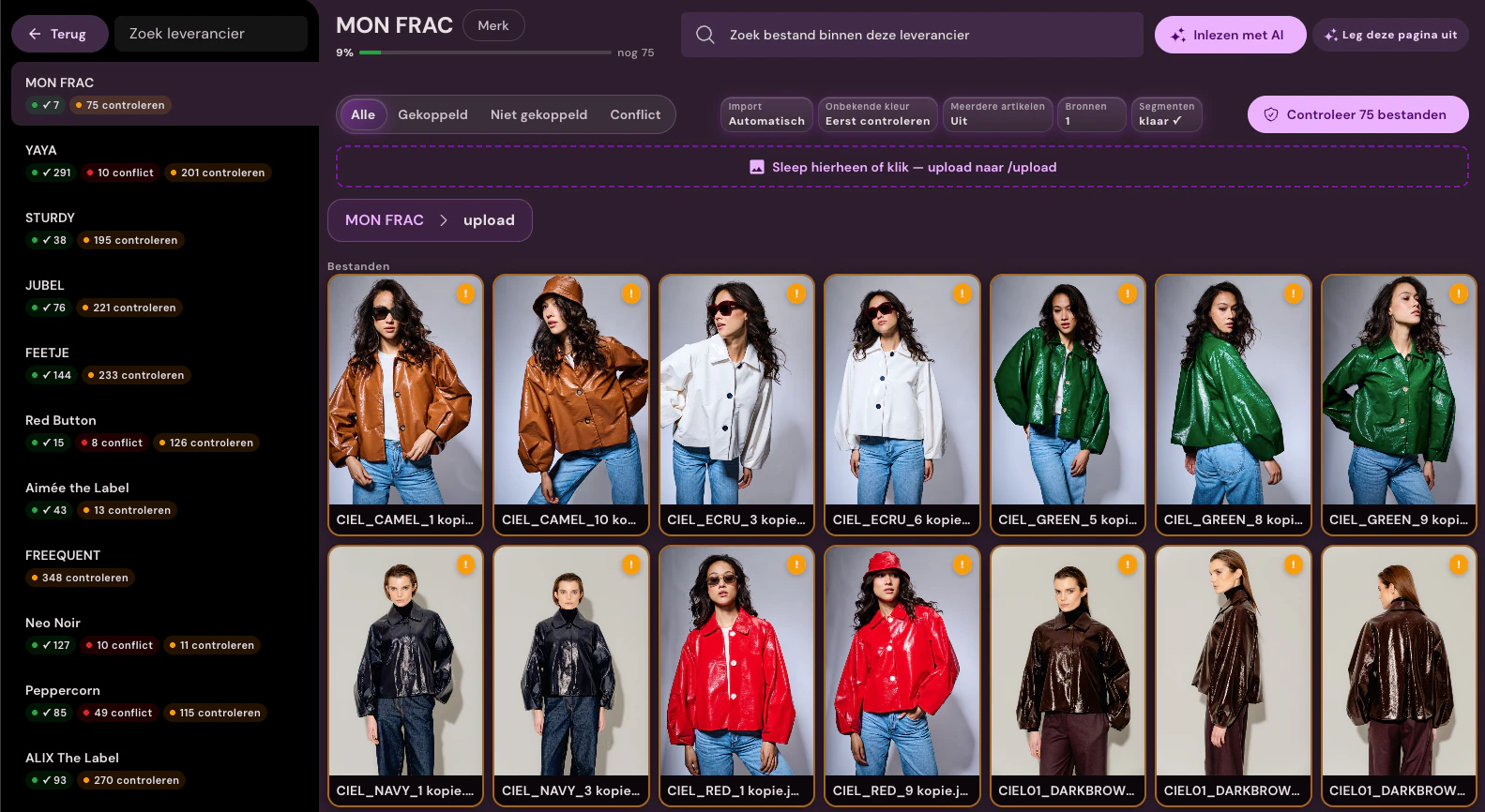
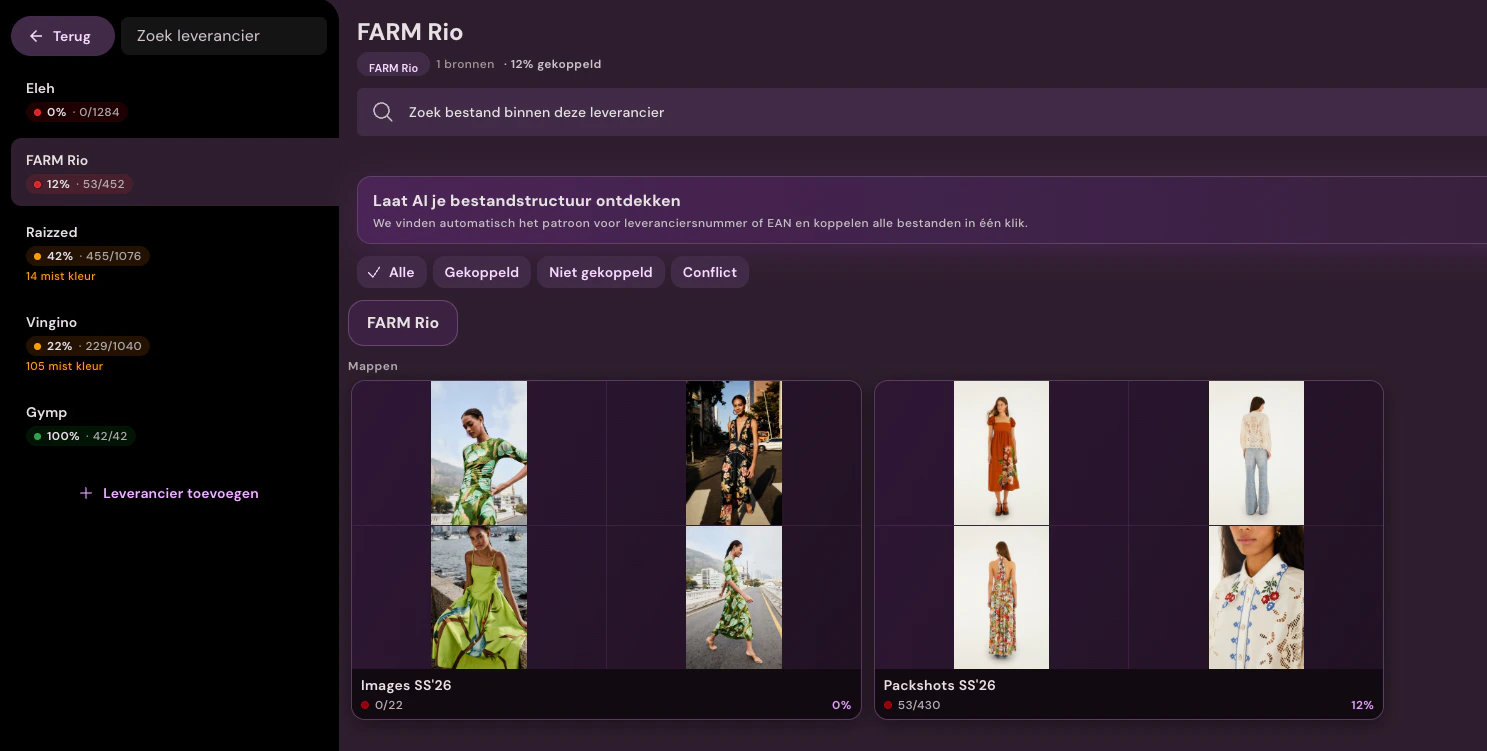
Supplier workspace with match rates, folders and product images
Daily supplier workspace In production
Sources

Every source, one place.

Per supplier multiple channels at once, each with its own rules.

FTP, SFTP, brand portal, folder structure, or ZIP archive: Photopilot indexes the source and keeps it up to date.

Coming soon Dropbox, Google Drive, OneDrive, and S3

Automatically link

Codes first, then manual work.

Photopilot first uses reliable codes and fixed rules. Then, differing structures and descriptive file names are compared. Per supplier, you see how many files are linked, how many are not, and where a conflict is.

  1. 01 Codes first Photopilot searches at item level: first for an exact match on supplier item number, EAN, or public ID, then using normalized variants. This keeps even large file sets fast to process.
  2. 02 Name template per supplier Filename and path are read according to a naming template per supplier. This way, brand, season, article group, and article number become recognizable without manual research.
  3. 03 Import with AI If filenames mainly contain the item name and color, Photopilot compares that name with the item name and color. Clear matches are linked; uncertain matches are returned as suggestions.
Name template {brand}/{season}/{group}/{vendor_item_no}_{slot}.{ext} Supplier's filename Nike/S2025/Boxers/P6-BX-06_1.jpg
  • Brand
  • Season
  • Article group
  • Supplier item
Matching rules

How manual work stays limited

Hard codes first

Photopilot links by supplier item number, EAN, item number, and public ID if those codes are reliably present. No AI is needed for that.

Structure from folder and name

In portals and folders, file names, folder segments, brand, season, and color are read as if a merchandiser is organizing the delivery.

Percentage per supplier

In the app you see, per supplier, how many files are truly linked to an article variant, not just to a model.

Manual as the last step

Only files with no candidate, a conflict, or a low confidence score are left for human review. This keeps manual work visible, measurable, and limited.

Fixed naming structures

Supplier names translated to your structure

Each supplier uses different filenames. With a fixed naming structure per source, Photopilot extracts brand, season, item group, and item number from the path.

Translate segments

Segments like 'Nike', 'S2025' or 'Boxers' are translated to your internal structure: brand, season and article group. In case of doubt, confirm the proposed mapping once.

Set up once, use for years

Photopilot suggests the first mapping: 'S2025' is recognized as season SS25 and collection Summer 2025. After verification, Photopilot remembers this automatically, also for future deliveries from that supplier.

Photopilot supplier overview with linked images, conflicts and exceptions
Status per file

Every delivery, a clear status.

Reliable matches proceed; only candidates, conflicts, and files without a relationship remain visible. Set automatic approval per brand or collection.

  • Linked Article number, EAN, or public ID reliably points to one item variant. These files can proceed directly.
  • Check Photopilot has a probable candidate, but first shows the choice to the team.
  • Conflict Multiple items or deliveries match the same file. Publication remains blocked until the relationship is correct.
  • Not linked There is no reliable candidate yet. Search manually or improve the naming and folder rules for this source once.
What else is included

After matching

Multiple sources

One supplier, multiple channels

A brand can use FTP, a brand portal, and a ZIP file simultaneously. Photopilot treats them as different sources under the same supplier, with separate rules per source.

Automatic approval

Approved immediately with high certainty

Set automatic approval per brand or collection. Reliable links proceed directly to editing; uncertainties remain visible for your team.

Fixed image rules

Supplier images follow the same standard

After linking, the same rules for cropping, editing, and publishing apply as for your other product images. Add control only where you want it.

FAQ

Frequently Asked Questions

Which supplier sources can Photopilot process?

Fashion Cloud, Stockbase, FTP, SFTP, uploads and ZIP archives, supplier portals via a Portal connection, the supplier's website via Web research, and brands sharing their images via Photopilot. Dropbox, Google Drive, OneDrive, and S3 coming soon. You can connect multiple channels per supplier simultaneously.

How does Photopilot link files to the right article?

First on reliable codes like supplier item number, EAN, and public ID, then through name structure and folder segments. Descriptive filenames are compared by Inlezen with AI to the item name and color from your item data. Only leftovers go to manual linking.

What happens when a new delivery overlaps existing images?

A second delivery becomes a new version and does not overwrite anything unintentionally. For each brand or collection, you decide whether new material flows through automatically or is checked first. Each upload batch receives a log with source, timestamp, user, and affected items.